The AI Tools I Use to Build Better Software
I used to avoid AI in my development workflow. I was worried that relying on it too much would make me a weaker engineer over time. Today, I use AI not to replace my engineering judgment, but to help me think faster, explore ideas, write better code, and solve problems more effectively.
AI has changed quite a lot about how I work as a software engineer. I wasn't always convinced about it. For a long time, I actually avoided relying too much on AI. My concern was simple: if I let AI do too much of the thinking and coding for me, would I eventually become a weaker engineer?
That concern hasn't completely disappeared. But my perspective has changed. The difference today is that I don't see AI as something that should replace my engineering ability. I see it as a set of tools that can extend it.
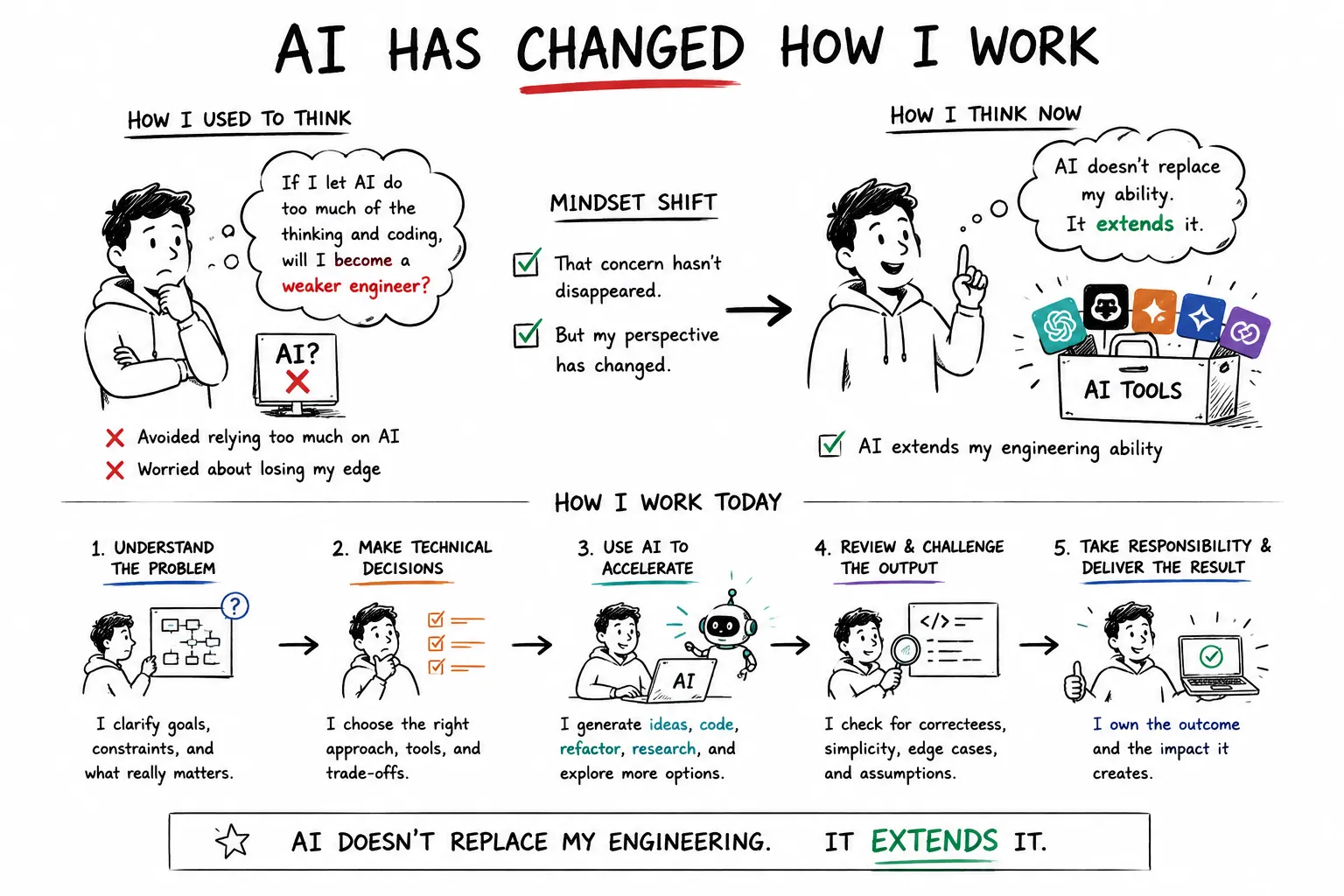
I still need to understand the problem, make technical decisions, review the output, challenge assumptions, and take responsibility for the final result. AI simply allows me to do some parts of that process faster and explore more possibilities than I could before.
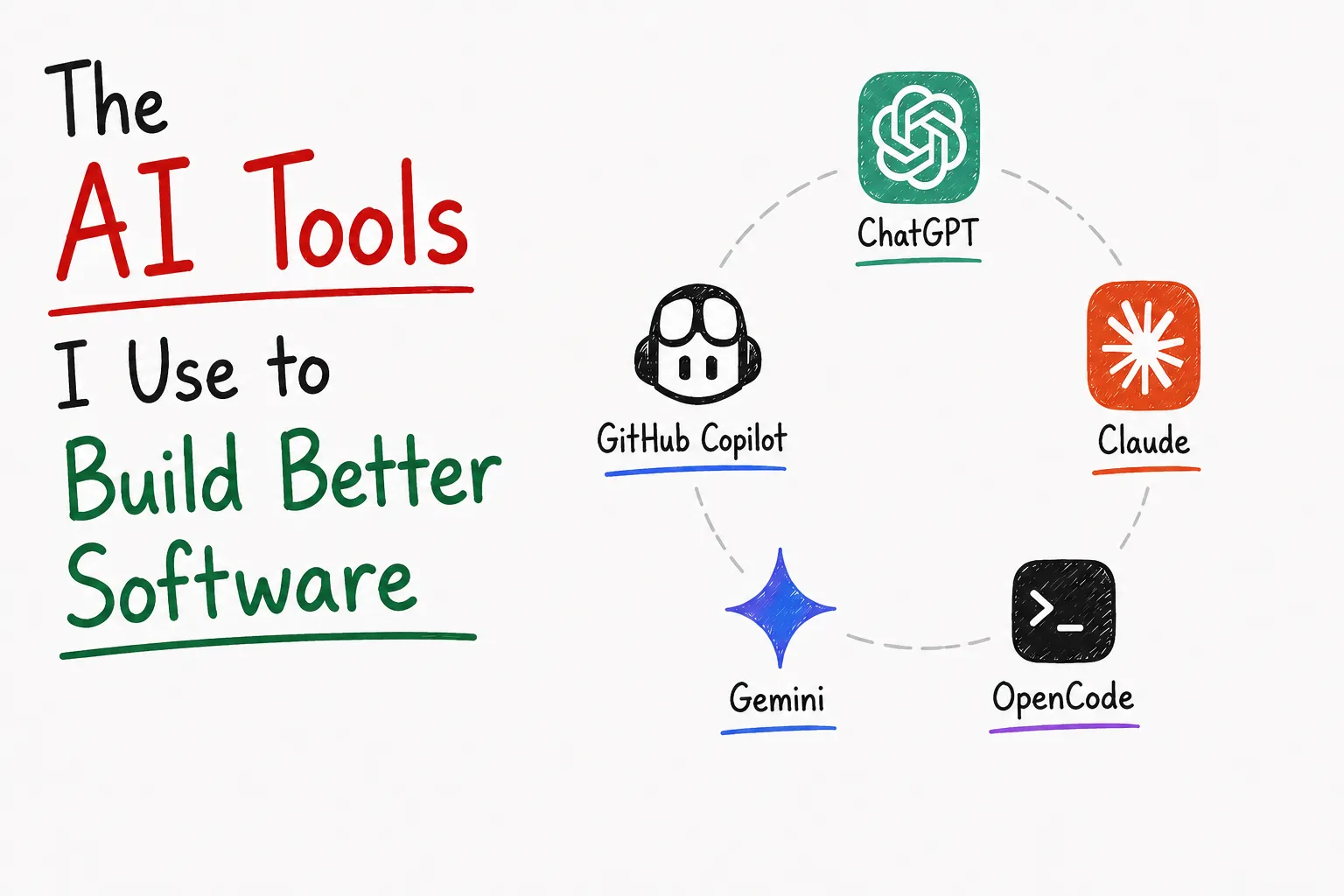
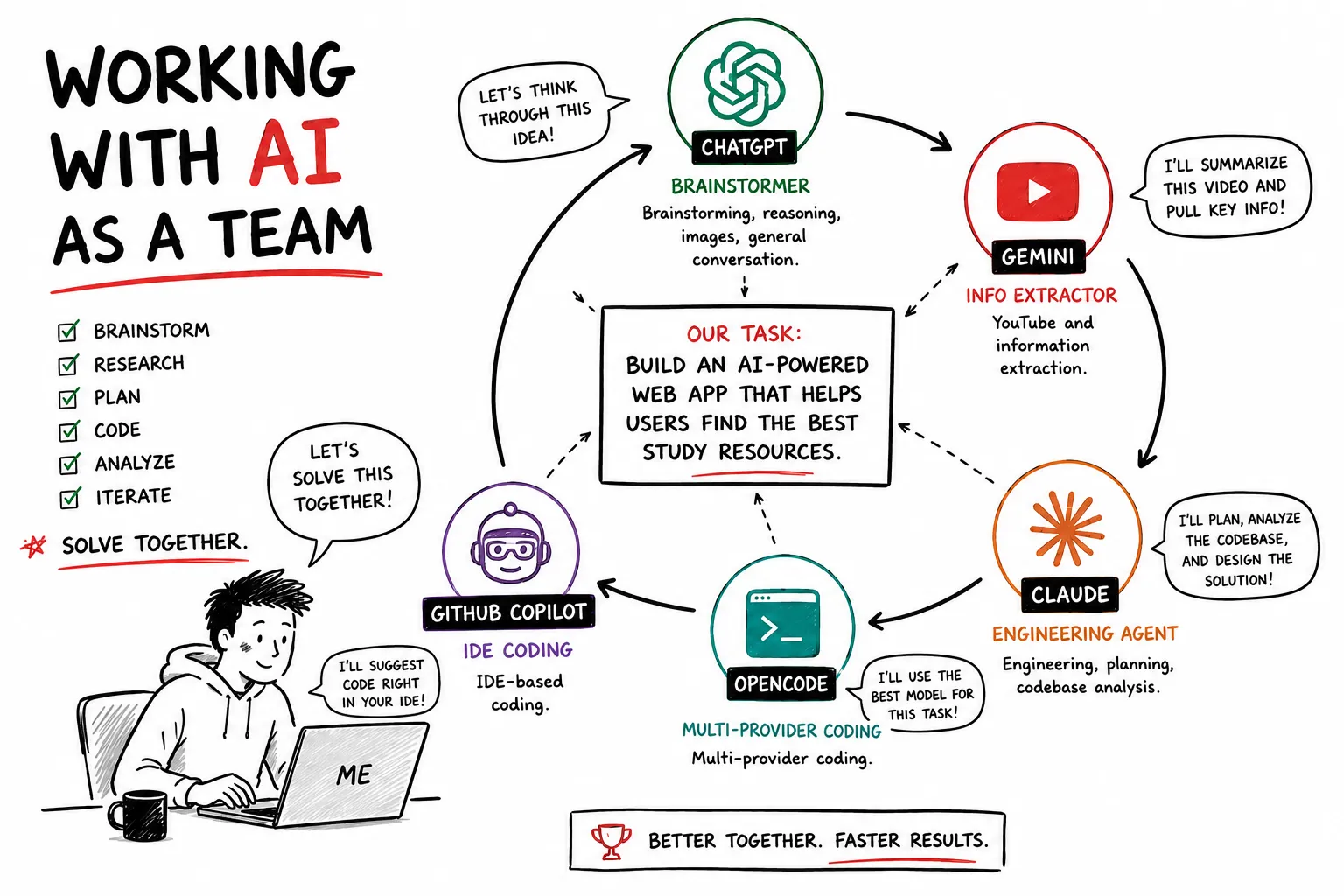
Over time, I've ended up using several AI tools, but I don't use them interchangeably.Each one has a different role in my workflow. These are the five AI tools I currently use the most:
- ChatGPT
- Gemini
- Claude
- OpenCode
- GitHub Copilot
This isn't a ranking of which AI is "the best."
It's about where each tool fits into my workflow and why I choose one over another.
If I had to pick one AI tool that I use for the widest variety of tasks, it would probably be ChatGPT. I don't primarily use it as a coding tool. I use it as a thinking partner. When I have an idea for a project, I'm often not looking for code immediately. I want to explore the idea first. I'll throw a rough concept at ChatGPT and start asking questions:
- What am I missing?
- What are the potential problems?
- What would happen if the system had 10x the traffic?
- Is there a simpler way to solve this?
- What should I build first?
This is particularly useful during the early stages of a project, where the biggest problem isn't writing code — it's figuring out what should actually be built.
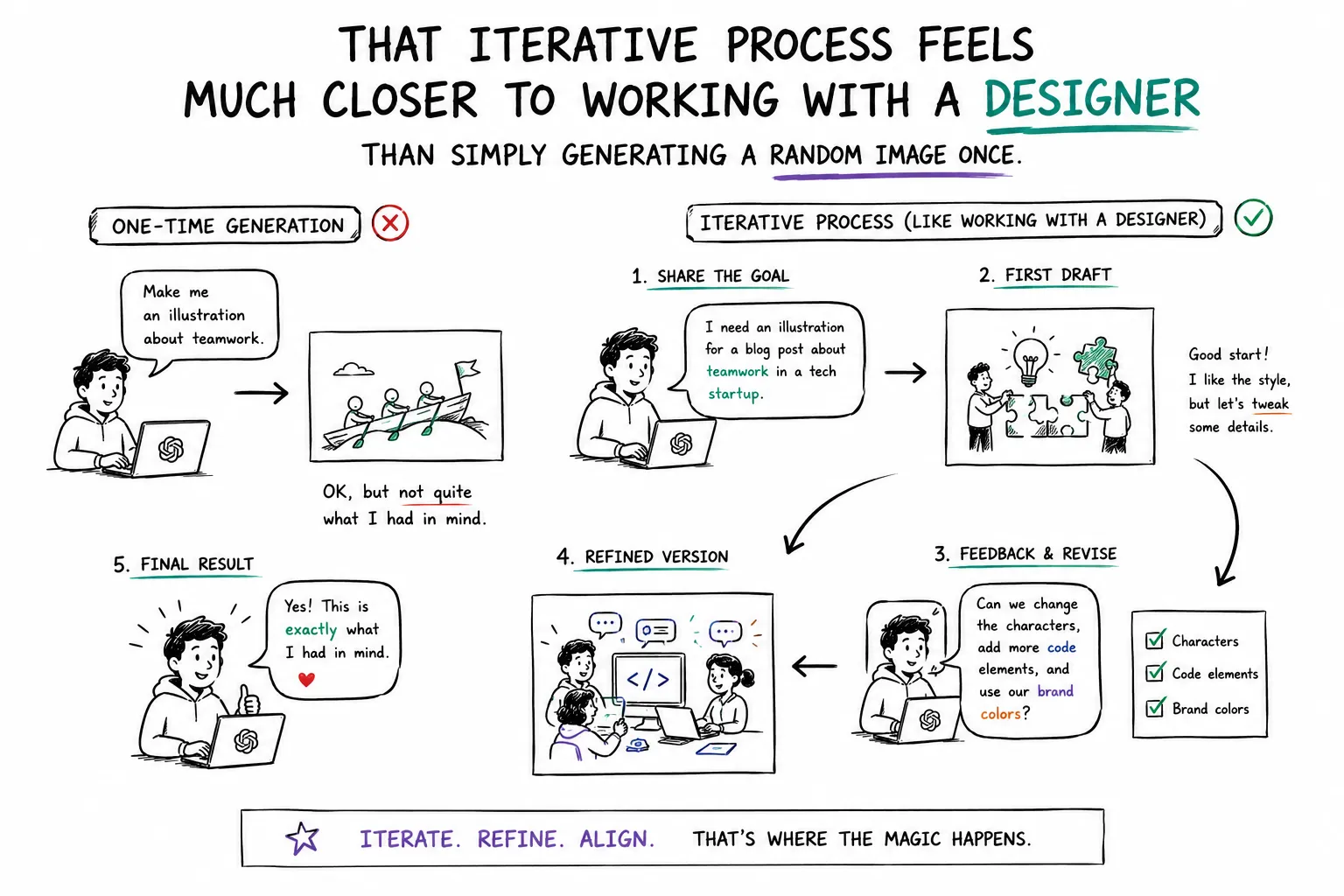
Another area where I've found ChatGPT surprisingly useful is image generation and editing. When I'm working on my personal website, blog, thumbnails, diagrams, or visual assets, I can describe what I'm trying to achieve and iterate on it conversationally. What I like most is that I can start with something imperfect and keep refining it:
Keep the same composition, but remove this section.
Move these tools to the right.
Make the illustration more hand-drawn.
Keep everything else exactly the same.
That iterative process feels much closer to working with a designer than simply generating a random image once.
Another reason I keep coming back to ChatGPT is the conversational context. Over time, I've discussed things like my career, projects, technical experience, goals, and the things I'm currently building. So instead of starting every conversation with:
I'm a backend engineer working with Node.js and TypeScript...
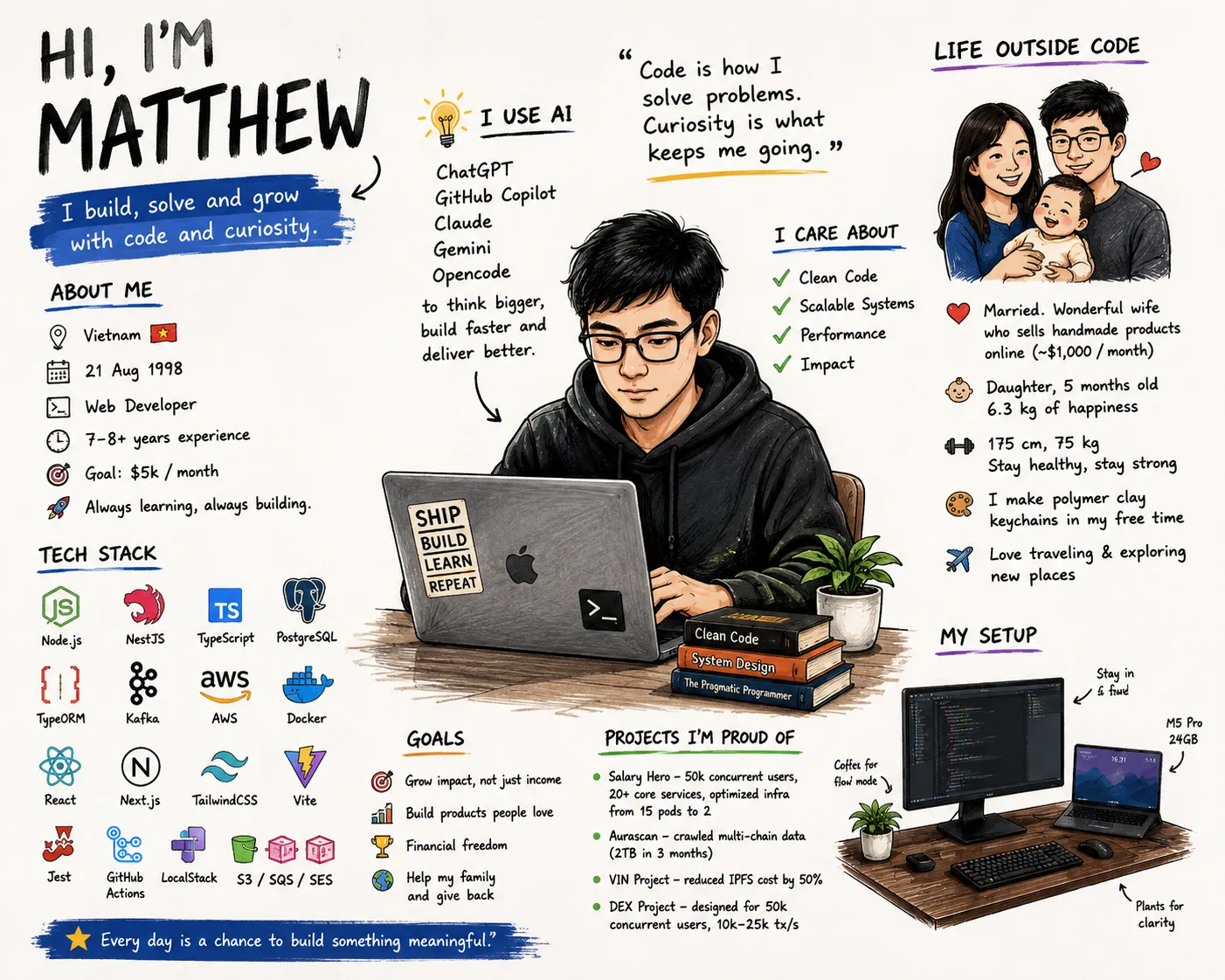
I can often continue from an existing context. I tested this in a simple way by open new chat and asking different AI tools to describe me. One of very interesting path is I asked ChatGPT for this question
based on what you know about me, draw an image about me.
And here is the result I got. I was very surprised because not only did it remember my skills and career, but it also remembered my family, my health and even my work table setup. The work table setup is exactly how it looks in real life, with my laptop, monitor, and even my coffee mug. I had previously shared a photo of my setup and asked it to improve the design, so it was able to recreate those details surprisingly accurately. I was very impressed by the result.
With the same question, but more simple by just asking "What do you know about me?" in Github Copilot, where I was discussed about plan, implement code,... then instead of answer me immediately, it start looking into current repo and talk about me based on my current repo that I working on. And here is when I ask OpenCode with the same question
What you know about me?

Based on this session, here's what I actually know:
- Username/home directory: matthew (from the working directory /Users/matthew)
- OS: macOS (darwin)
- Current directory: Not a git repository, and I haven't looked at its contents yet
That's it. I don't have memory of past conversations, and I don't know your name, preferences, or any personal details beyond what's in this session's environment info and whatever you tell me directly.
If you'd like, I can look at the contents of your home directory to get more context, or you can just tell me what you're working on.
The difference is interesting. I'm not saying one answer is objectively "better" than the other. They are designed for different purposes. But for me, this demonstrates why I prefer ChatGPT when I want to have a long-running conversation about ideas, career decisions, projects, or personal goals. For me, ChatGPT is strongest when I need to:
- Brainstorm ideas
- Explore different approaches
- Challenge my assumptions
- Discuss career and technical decisions
- Create and edit images
- Have a longer contextual conversation
I think of ChatGPT less as my coding agent and more as my general-purpose thinking partner.
I use Gemini for a much narrower purpose. And that's actually why I like it. One of the biggest time sinks in software development isn't always coding. Sometimes it's consuming information.
There are countless technical talks, conference presentations, tutorials, podcasts, and long-form YouTube videos that contain useful information. But a two-hour video doesn't necessarily mean I have two hours available to watch it. This is where Gemini has become extremely useful for me.
Because Gemini is part of Google's ecosystem, it can work with YouTube content in ways that fit my workflow particularly well. For example, if I find a two-hour technical video about a technology I'm interested in, I can use Gemini to quickly extract the important information and then ask questions about it.
Instead of:
Watch 2 hours → take notes → understand → search for missing information
I can often do:
Process the video → ask questions → investigate the interesting parts
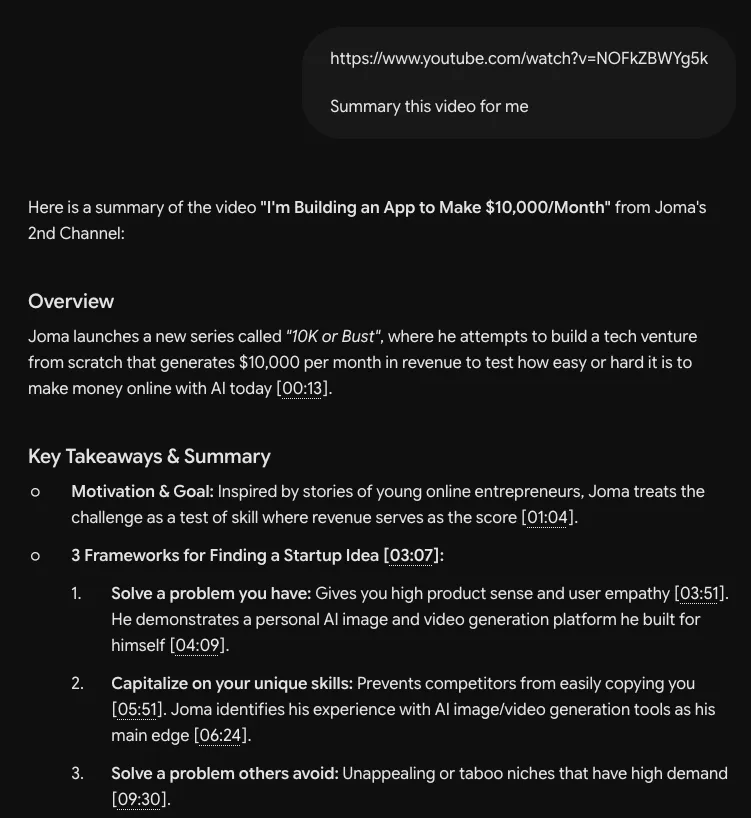
You can try like this by asking Gemini to summarize a YouTube video, the more detail you ask, the more detail it will give you. Here I just asking simple for demonstration, and it gives me a summary of the video with key points and timestamps.
This doesn't mean I never watch the original video. If the topic is important, I'll still watch it. But Gemini gives me a fast first-pass understanding. I can quickly find out:
- What is this video actually about?
- What are the key ideas?
- What technical decisions are being discussed?
- What are the important trade-offs?
- Which parts are worth spending more time on?
Then I can decide whether the full two-hour investment is actually worthwhile.
Why I don't use ChatGPT for this, this is an interesting example of why I don't think having one "best AI" is particularly useful. There are things I would normally use ChatGPT for where Gemini simply isn't my first choice. And there are things where Gemini has a natural advantage because of its integration with Google's ecosystem.
For my workflow, YouTube is one of those areas. I mainly use Gemini when I need to:
- Extract information from YouTube videos
- Quickly understand long technical content
- Ask follow-up questions about a video
- Decide whether a long piece of content is worth my time
For me, Gemini is essentially an information compression tool. It helps me spend less time consuming information and more time deciding what information actually matters.
Claude plays a completely different role. This is where AI becomes much more involved in my actual development workflow. I use both Claude Desktop and Claude CLI, but I don't use them in exactly the same way. For me, Claude is particularly useful for working with codebases, technical documents, implementation plans, and complex engineering tasks.
One of the things I don't want an AI coding agent to do is immediately start changing files. Before implementation, I often ask Claude to understand the problem first. This is just simple example, in my real workflow, I build skills for AI to help it more effectively understand the codebase and the problem at hand that I may have another blog to write about it in the future. So get back to the simple example:
Understand this part of the codebase and tell me how you would implement this feature.
Then I'll challenge the proposed approach.
What are the risks? Are there any edge cases? Would you change the database design? What happens under high concurrency? Is there a simpler implementation?
This planning step is important to me because I don't want AI to become:
Give me a ticket → generate code → hope it works.
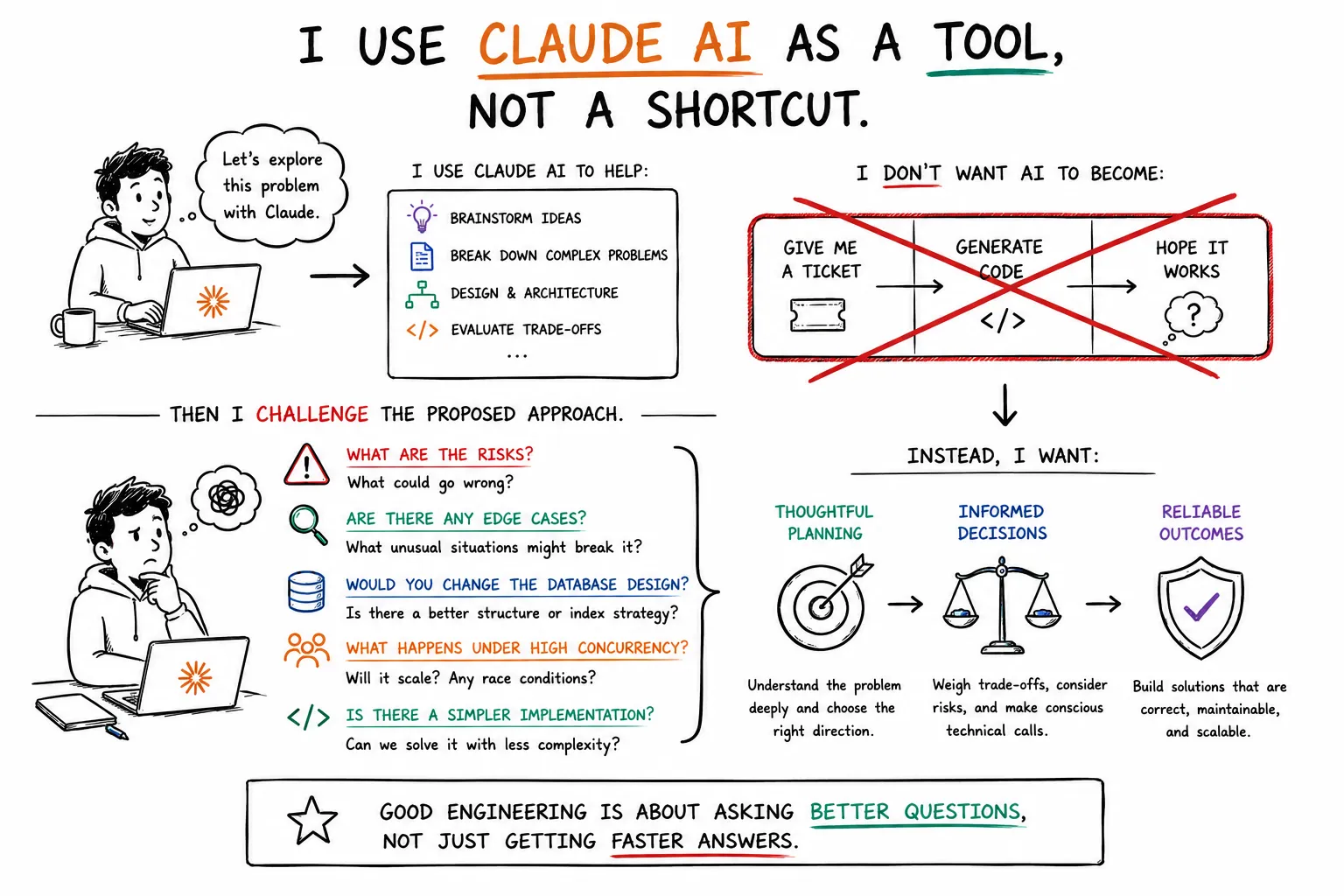
I want it to become part of an engineering process. Understand → Plan → Review → Implement → Review again.
Another workflow I use frequently is asking Claude to review technical documentation before implementation. A technical document might describe:
- Architecture
- APIs
- Database changes
- Service interactions
- Business rules
- Migration strategies
- Infrastructure changes
Instead of reading the document once and assuming I've understood everything, I can ask Claude to analyze it from different perspectives.
For example:
What assumptions does this design make?
What could go wrong?
Which parts are ambiguous?
What questions should I ask before implementation?
This is particularly valuable for complex projects because sometimes the biggest engineering mistake happens before the first line of code is written.
As you guy may already know Anthropic provide us Claude desktop and Claude CLI, I personally prefer Claude CLI when I want tighter control over what the agent is doing. I like being able to see the commands it wants to execute and the changes it is making. This is what Claude CLI looks like which is pretty simple and cool.
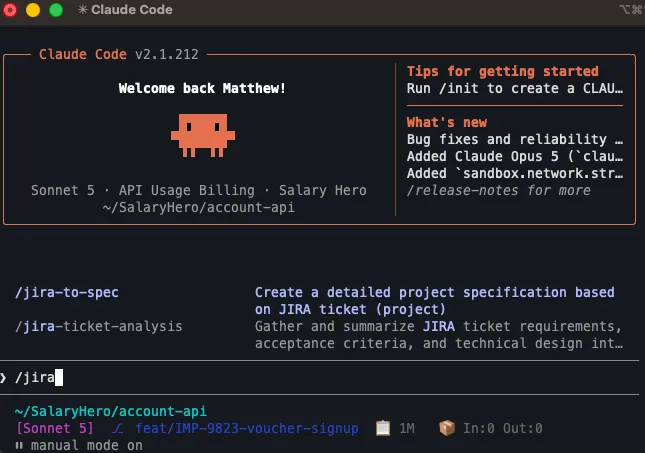
That visibility fits the way I like to work. I don't want an agent silently making a large number of changes and then presenting me with a finished result. I'd rather inspect the process, understand what happened, and intervene when necessary. Claude CLI also makes it convenient to connect tools such as GitHub or Jira through MCP, which makes it easier to bring real project context into the workflow.
So why do I still use Claude Desktop more? There is also a very practical reason. The subscription model. For my normal usage, Claude Desktop gives me a predictable subscription experience, while using Claude through the CLI can involve usage limits and token-based consumption depending on the setup.
So I tend to use Claude Desktop for the majority of my day-to-day work and reserve the CLI for situations where the additional control and tooling are worth it.
For me, Claude is strongest when I need to:
- Understand an existing codebase
- Plan an implementation
- Review an implementation plan
- Review technical documents
- Make complex code changes
- Work with MCP-connected tools
- Review AI-generated changes carefully
- Work directly from the terminal
If ChatGPT is my thinking partner, Claude is much closer to my engineering agent.
OpenCode occupies an interesting position in my workflow. I use it similarly to Claude CLI, but I don't think of it as simply another coding agent. Its biggest advantage for me is flexibility. OpenCode is open source and designed to work with multiple model providers.That means I'm not locked into a single ecosystem.
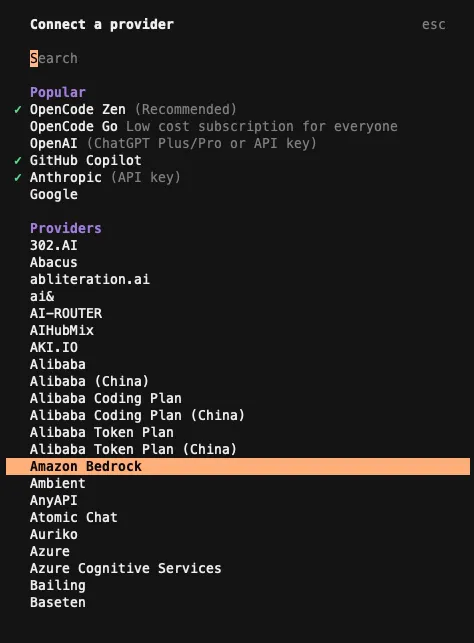
Depending on what I'm trying to do, I can connect different providers and models — whether that's Claude, OpenAI models, DeepSeek, or other supported providers. Here you can see you can connect to a lot of providers and models, and there a lot more options available in OpenCode than I can list here.
This changes the way I think about AI coding tools. Instead of:
Which coding agent should I use?
I can think:
Which model do I want for this particular task?
That distinction is useful. Some tasks may benefit from one model's reasoning capabilities, while another model might be faster, cheaper, or better suited for a particular type of work. For the UI and usage, OpenCode is similar to Claude CLI which will access through the terminal.
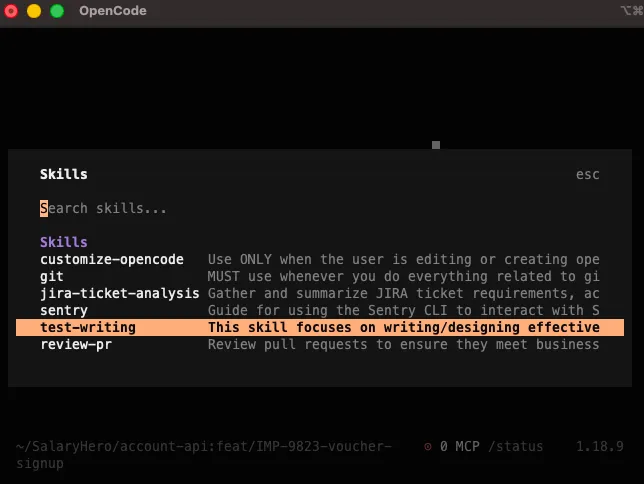
The flexibility also comes with some additional setup. For example, when switching providers in OpenCode, I may need to configure or authenticate with that provider. That's different from some of the more integrated tools I'll discuss later. But I consider that a reasonable trade-off for having the freedom to choose the underlying model.
So I mainly use OpenCode when I want:
- An alternative to Claude CLI
- More control over model providers
- The ability to experiment with different models
- An open-source coding workflow
- Flexibility rather than being tied to a single AI ecosystem
I think of OpenCode as my multi-provider AI coding environment.
GitHub Copilot is different again. While Claude and OpenCode can feel like engineers working alongside me, Copilot feels more like an AI capability that's embedded directly into my development environment. And that distinction matters.
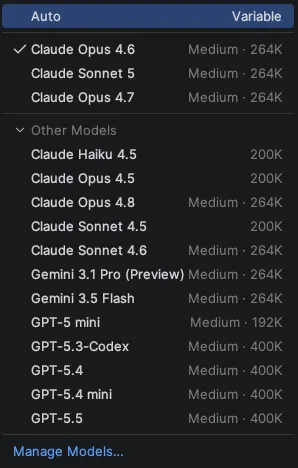
One feature I particularly like is the ability to switch between models from different providers while staying inside the same Copilot workflow. I don't need to configure every provider individually just to try another model. I authenticate with GitHub, and from there I can select from the available models that you can see the image below.
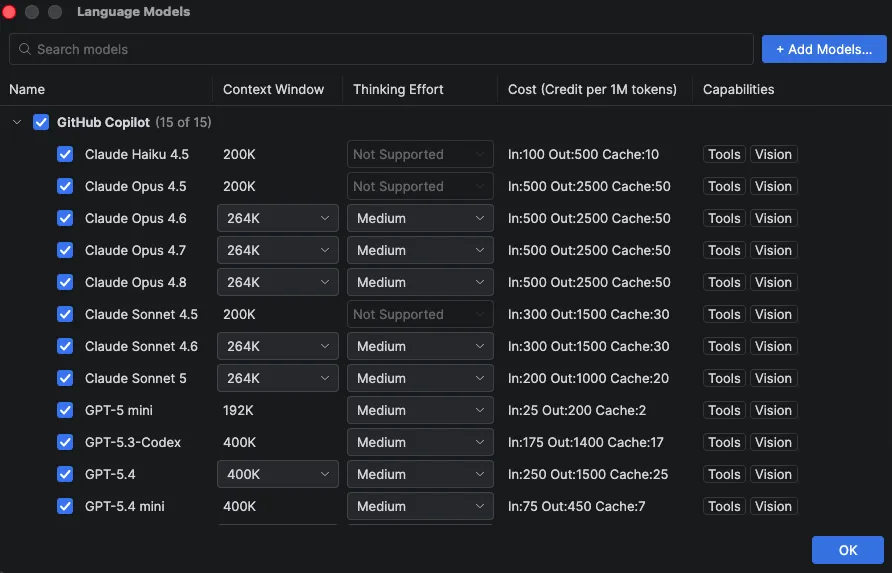
And you can easy to config model will be listed, context memory and thinking effort as the image showed below.
Compare that with a multi-provider tool where switching providers can require additional authentication or configuration. For me, this makes experimentation much easier. If I'm already working inside my IDE and want to try another model, I can simply switch it and continue.
Another advantage is the visual feedback.
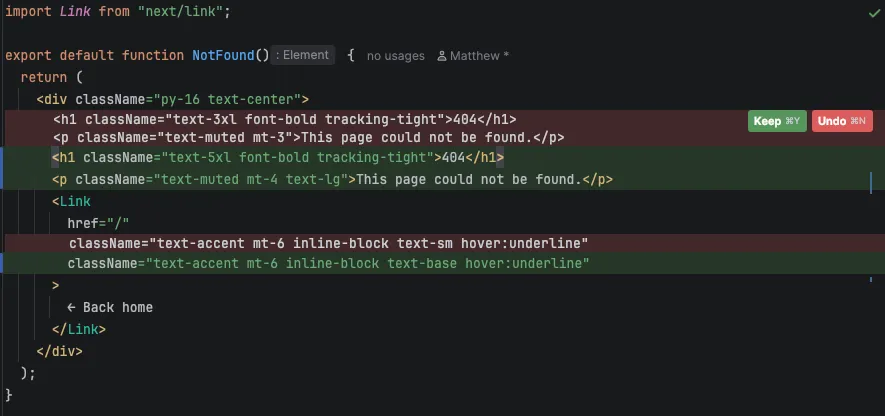
When an AI agent makes changes inside the IDE, I can immediately see the code changes in the context where I'm already working.
I don't have to jump between the terminal and editor as much. So basically I just go to specific change files and see the diff and review it, you can see the image below.
For small-to-medium changes, this can make the workflow feel very fast:
Ask → Review diff → Accept / Reject → Continue coding.
That's a very different experience from delegating a large task to a CLI agent. So I mainly use Copilot for:
- Coding directly inside my IDE
- Small and medium-sized implementation tasks
- Quickly exploring code changes
- Switching between different models
- Reviewing changes visually through IDE diffs
- Staying inside my normal development environment
For me, Copilot is the most integrated coding assistant in my workflow.
After using these tools for a while, I've realized that I don't really ask:
Which AI is the best?
That's the wrong question.
I ask:
"Which tool is best for what I'm trying to do right now?"
Here's roughly how I think about them:
| Tool | What I primarily use it for | When I reach for it |
|---|---|---|
| ChatGPT | Brainstorming, reasoning, images, general conversation | When I need to think through an idea |
| Gemini | YouTube and information extraction | When I need to quickly understand long video content |
| Claude | Engineering, planning, codebase analysis | When I need an AI engineering agent |
| OpenCode | Multi-provider coding | When I want flexibility and model choice |
| GitHub Copilot | IDE-based coding | When I want AI directly inside my editor |
These aren't hard rules.
I switch between them depending on the problem.
And that's actually one of the biggest lessons I've learned from using AI more seriously. No matter how good I am, if I stay in the same place and compete only with other versions of myself—with AI support—I will eventually lose.
There is one thing I think is easy to misunderstand about AI. Having access to powerful AI tools doesn't automatically make someone a better engineer.
You can give someone the best model available, connect it to their entire codebase, give it access to GitHub, Jira, databases, MCP servers, and a dozen other tools — and they can still produce a terrible result.
Because the tool isn't the workflow. The result depends heavily on how you use it. AI doesn't automatically know:
- What matters in your system
- Which trade-offs are acceptable
- What the business actually needs
- Which technical debt is intentional
- Which shortcut will become a problem six months later
- When the AI itself is wrong
- What questions should have been asked before implementation
Those things still require engineering judgment. That's why I've become much more comfortable using AI than I was a few months ago. I'm not trying to make AI do everything for me. I'm trying to build a workflow where AI and engineering judgment complement each other.
One analogy I like is Harry Potter's wand. A powerful wand doesn't automatically make someone a great wizard. You still need to know:
- Which spell to use
- When to use it
- How to cast it
- What the spell actually does
- What happens if you get it wrong
The wand is powerful. But the wizard still matters. I think AI is very similar. The models are becoming incredibly capable, but the engineer using them still needs to understand how to communicate with them, provide context, break down problems, review their output, and build a workflow around them.
The real advantage isn't simply:
"I have access to AI."
It's:
"I know how to use AI effectively."
And I think that distinction will become increasingly important as AI becomes more capable.
These five tools are only the surface of how I currently use AI in my development workflow.
The more interesting part isn't actually the tools themselves. It's what I build around them.
How I structure prompts.
How I give AI context.
How I break large tasks into smaller ones.
How I create reusable skills.
How I connect AI to GitHub, Jira, and other tools.
How I review AI-generated code.
And More...
I'll go deeper into that in a future post, where I'll share how I build my AI workflow, skills, and tooling around the development process.
Because ultimately, I don't think the future belongs to engineers who simply use the most powerful AI. I think it belongs to engineers who know how to make powerful AI work for them.
You might also like
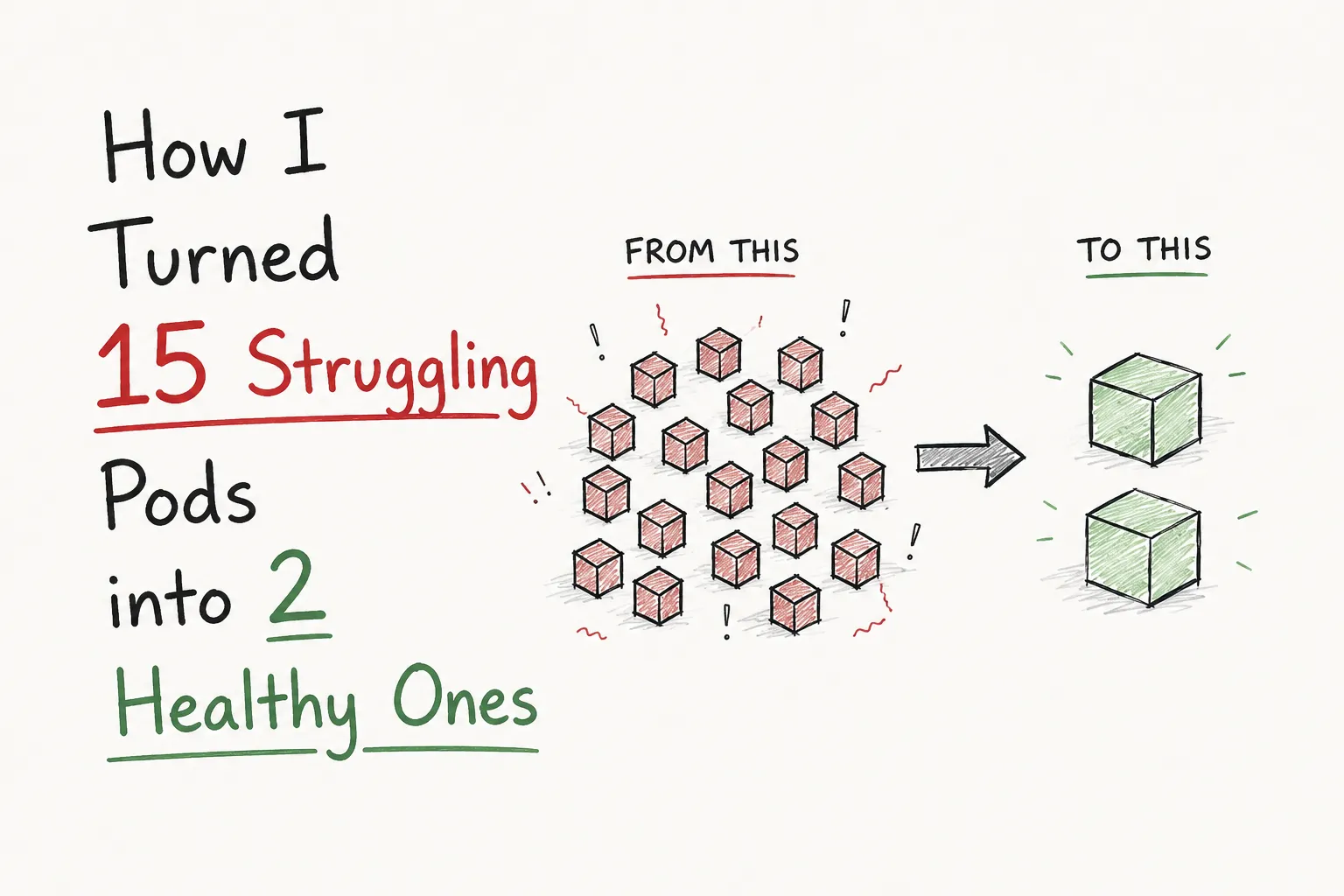
How I Turned 15 Struggling Pods into 2 Healthy Ones
Our team struggled with a service that kept triggering resource alerts even after scaling to 15 Kubernetes pods. Instead of a full rewrite, I investigated the root causes and reduced it from 15 overloaded pods to just 2 healthy ones.
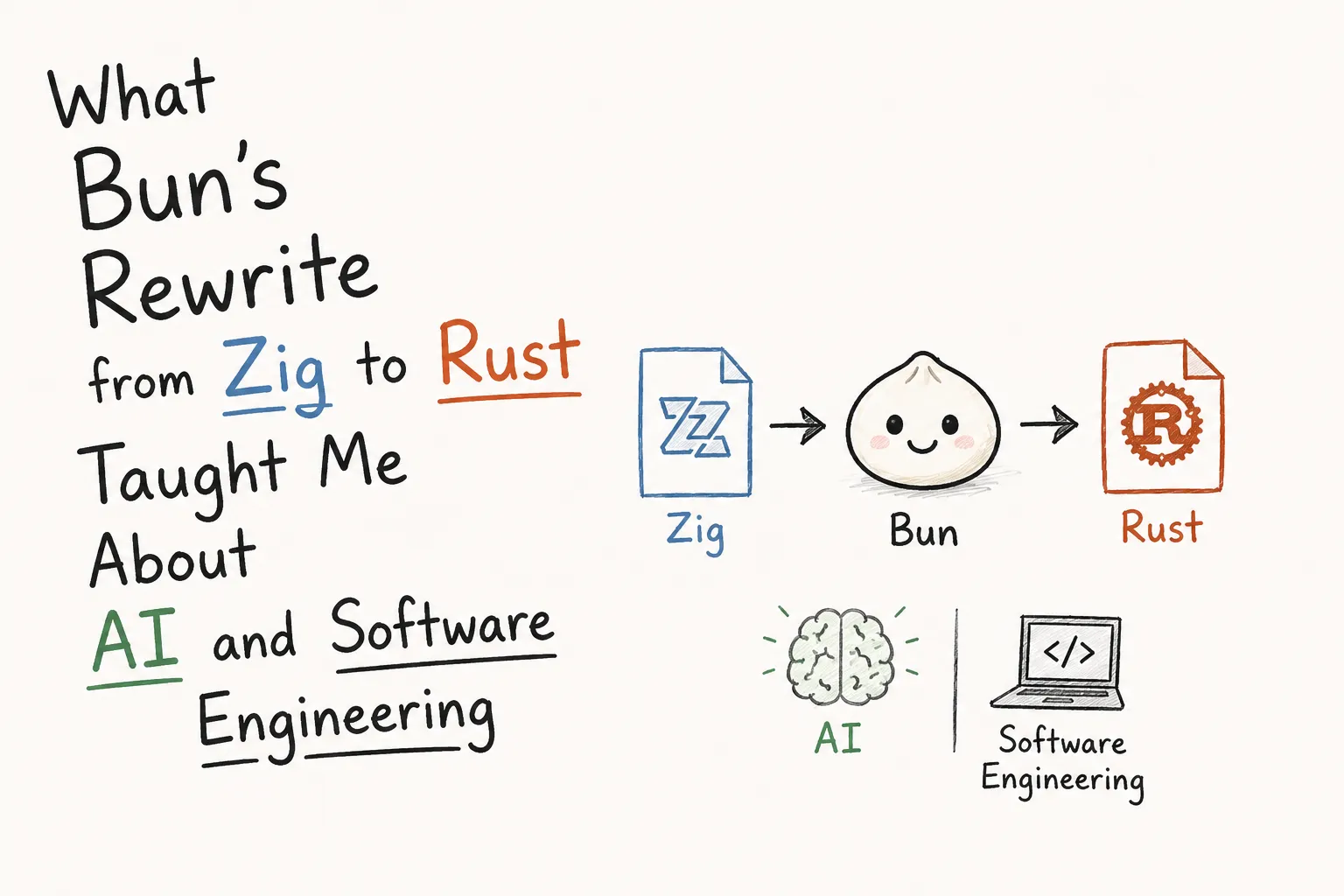
What Bun's Rewrite from Zig to Rust Taught Me About AI and Software Engineering
A few days ago, I found out that Bun had been completely rewritten from Zig to Rust. At first, I thought it was just another programming language migration, but after reading Jarred Sumner's engineering blog, it completely changed the way I think about software rewrites and AI.